
Elements of a pad mounted transformer diagram aren’t just a technical drawing—it’s a field technician’s most reliable companion. It maps out critical components like the core, windings, bushings, and connection points, while translating complex systems into understandable symbols. For anyone tasked with maintenance or troubleshooting, mastering these diagrams turns guesswork into precision—boosting both efficiency and confidence on the job.

Whether you’re a veteran technician or just starting in the industry, this guide breaks down everything you need to know about pad mounted transformer diagrams. We’ll cover reading basics, component identification, safety protocols, bridging diagrams to real-world equipment, and using these blueprints to solve problems quickly.
Contents
hide
How to Read Pad Mounted Transformer Blueprints: A Beginner’s Roadmap
Ever stared at a pad mounted transformer blueprint and felt like you’re decoding a secret language? You’re far from the only one—even seasoned techs struggled with this at first. These diagrams pack a lot of information, but once you learn their structure and symbols, they become second nature.
Reading these blueprints is a non-negotiable skill for field work. They offer a complete snapshot of the transformer’s design, from internal components to wiring paths. The key is to stop seeing a jumble of lines and start recognizing the logic behind each symbol.
Let’s break down the fundamentals of blueprint reading that every technician should know:
Grasp the Big Picture First
Before diving into tiny details, take a step back to understand the blueprint’s overall layout. This foundation will make everything else fall into place.
Key Layout Components to Note:
- Title block: Holds critical specs like KVA rating, voltage levels, and manufacturer details
- Main section: Illustrates the transformer’s internal structure (core, windings, etc.)
- Connection diagrams: Maps primary and secondary side wiring
- Legend: Defines symbols and abbreviations—never skip this!
Learn the Language of Symbols and Lines
Every mark on a transformer diagram has a specific meaning. Think of it as a specialized vocabulary that connects drawing to reality.
Common Symbols You’ll Encounter:
- Rectangles or E-I shapes: Represent the transformer core
- Zigzag lines: Denote primary and secondary windings
- Circles or ovals: Indicate bushings
- Dotted lines: Show magnetic flux paths
Understand Scale and Proportions
Don’t assume diagram size matches real-world dimensions—scale matters for accurate part identification and replacement.
Scale Tips to Remember:
- Check the scale notation (e.g., 1:10 means 1 inch on paper = 10 inches in reality)
- Pay attention to relative component sizes (a small symbol might represent a large part)
- Use dimension lines to confirm measurements for replacement parts
Get Oriented with View and Direction
Blueprints use specific views to represent 3D equipment on 2D paper—misinterpreting this can lead to confusion in the field.
Orientation Guidelines:
- Distinguish between top-view and side-view representations
- Look for directional markers (like North arrows) to align with the physical transformer
- Note reference points for installation or maintenance access
| Blueprint Component | Key Function | Practical Reference |
|---|---|---|
| Title Block | Delivers critical transformer specs | Confirms KVA rating and voltage compatibility |
| Core Symbol | Represents the transformer’s magnetic core | Matches the central steel structure in real units |
| Winding Symbols | Illustrates voltage transformation coils | Correlates to insulated wire windings (often internal) |
| Connection Points | Marks external wiring terminals | Identifies numbered or labeled connection spots |
I still remember my first time working with a pad mounted transformer blueprint. I was a new tech, tasked with troubleshooting a unit that kept failing, and when I unfolded the diagram, I was overwhelmed by the lines and symbols. I didn’t know where to start—until I focused on the title block. It listed the transformer’s capacity and voltage ratings, which immediately told me if I was working with the right specs. That simple step gave me a reference point, like finding a compass on a map.
Next, I moved to the main section. The large rectangle in the center was the core, and the zigzag lines around it were the windings. It was surprising how these basic shapes represented such complex components. The hardest part at first was matching the numbered connection points on the diagram to the physical transformer—until I realized tracing the lines from the terminals to the windings helped me visualize the actual wiring.
Orientation was another hurdle. The blueprint showed a top view, but I was standing in front of the transformer. Once I mentally rotated the diagram to align with what I was seeing, everything clicked. That small adjustment turned confusion into clarity.
Over time, I learned to respect the scale notation. Early on, I misjudged the size of a replacement bushing based on the diagram, only to find it didn’t fit on site. Now, I always cross-check scale before ordering parts. And I can’t stress enough how important the legend is—skipping it once led me to misidentify a tap changer symbol, wasting hours of troubleshooting.
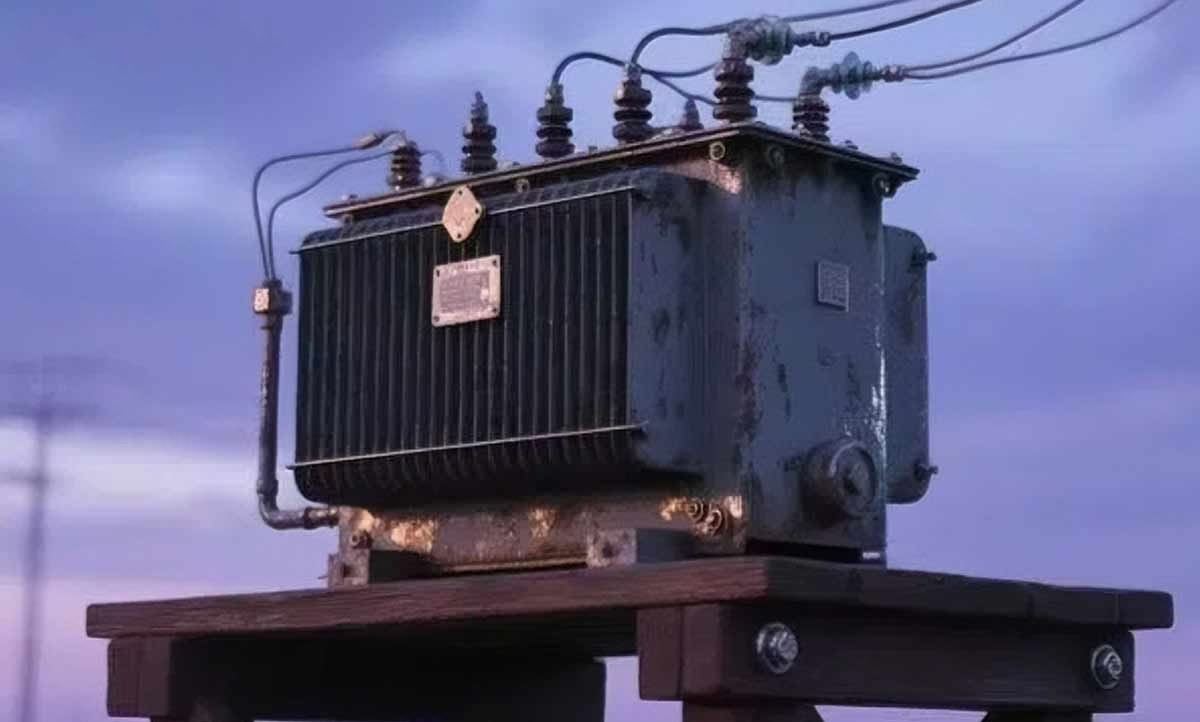
Reading pad mounted transformer blueprints is a skill that grows with practice. Each diagram you work with teaches you something new, and soon, you’ll be able to scan even complex blueprints and extract the info you need. These diagrams aren’t just paper—they’re the key to understanding the transformers that power our infrastructure. With patience, anyone can master them.
Identifying Key Components in Pad Mounted Transformer Diagrams
Ever looked at a transformer diagram and struggled to link symbols to actual parts? You’re not alone. But recognizing core components—from the magnetic core to cooling systems—is essential for effective maintenance and troubleshooting. When you can match diagram symbols to real-world parts, you can diagnose issues faster and work more confidently.
Pad mounted transformer diagrams highlight critical components that drive performance: the core, primary/secondary windings, bushings, tap changers, and cooling systems. Each has a distinct symbol, and understanding these representations turns abstract drawings into actionable guides.
Let’s break down the key components you’ll find in most pad mounted transformer diagrams:
The Core: The Transformer’s Magnetic Backbone
The core is the heart of the transformer, facilitating magnetic flux that transfers power between windings.
Core Details:
- Diagram symbol: Rectangle or E-I shape (simple, central structure)
- Real-world form: Laminated steel sheets (reduces energy loss)
- Function: Provides a path for magnetic flux—critical for voltage transformation
Windings: Where Voltage Transformation Happens
Windings are coils of insulated wire that convert high voltage to low (or vice versa) through electromagnetic induction.
Winding Types:
- Primary windings: High-voltage side (connected to the power grid)
- Secondary windings: Low-voltage side (supplies power to end users)
- Diagram symbol: Zigzag lines wrapped around the core
- Real-world form: Tightly wound insulated wire coils (often hidden inside the transformer)
Bushings: The Transformer’s External Connection Points
Bushings are insulated devices that safely route power in and out of the transformer, separating high-voltage components from the casing.
Bushing Features:
- Diagram symbol: Circles or ovals (typically on top or sides of the core)
- Real-world form: Protruding insulators (often made of porcelain or composite materials)
- Labeled with voltage ratings (critical for safety and compatibility)
Tap Changers: Fine-Tuning Voltage Output
Tap changers adjust the transformer’s voltage ratio to maintain stable output, even when input voltage fluctuates.
Tap Changer Details:
- Diagram symbol: Series of connection points branching from windings
- Types: On-load (adjustable while energized) or off-load (requires de-energization)
- Function: Corrects voltage deviations—essential for reliable power delivery
Cooling Systems: Preventing Overheating
Transformers generate heat during operation, so cooling systems are vital for longevity and performance.
Cooling Components:
- Diagram symbols: Wavy lines (radiator fins), fan icons (forced air), or pump symbols (oil circulation)
- Real-world forms: Radiator fins (passive cooling), external fans (active cooling), or oil pumps (large units)
- Purpose: Dissipates heat to keep the transformer within safe operating temperatures
| Component | Diagram Symbol | Core Function |
|---|---|---|
| Core | Rectangle/E-I shape | Enables magnetic flux transfer |
| Windings | Zigzag lines | Transforms voltage between primary/secondary sides |
| Bushings | Circles/ovals | Provides safe external electrical connections |
| Tap Changers | Series of connection points | Adjusts voltage ratio for stable output |
| Cooling System | Wavy lines/fan icons | Dissipates heat to prevent overheating |
Early in my career, I faced a pad mounted transformer that was producing inconsistent voltage. I had the diagram in hand, but I struggled to link the symbols to the physical unit—until I took it step by step.
I started with the core, represented by a large rectangle in the diagram’s center. In the real transformer, this was the heavy, laminated steel structure at the heart of the unit. Once I identified that, I could orient myself to other components.
Next, I focused on the windings—zigzag lines around the core in the diagram. In reality, I couldn’t see them (they’re encased in insulation), but understanding their location helped me trace the electrical path. The primary windings were connected to the high-voltage bushings, and the secondary to the low-voltage side—this relationship made it easier to diagnose voltage issues.
Bushings were straightforward: the circles on the diagram matched the large insulators protruding from the transformer’s top. Each was labeled with a voltage rating, which confirmed I was working with the right connections (a mistake here could be dangerous!).
The tap changer was the tricky part. On the diagram, it looked like a series of small points branching from the windings. In the field, it was a separate mechanism on the transformer’s side. I’d never worked with one before, but the diagram showed how it connected to the windings—this helped me realize the settings were off, causing the voltage fluctuations. Adjusting the tap changer solved the problem.
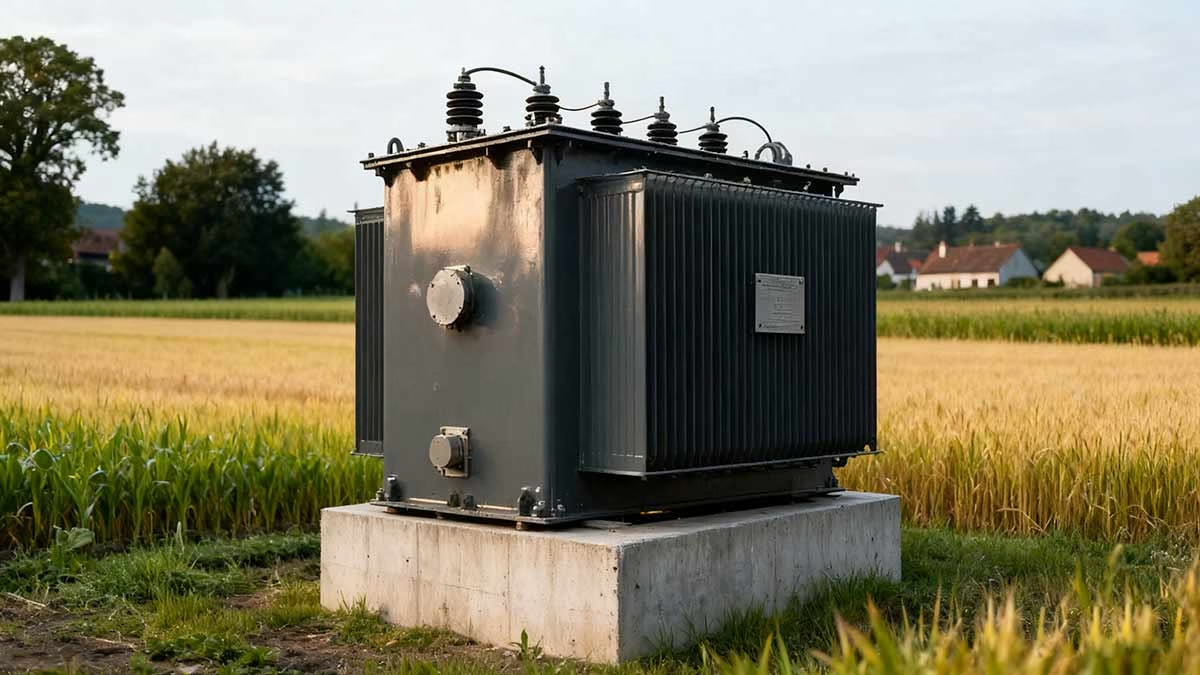
The cooling system, shown as wavy lines on the diagram, corresponded to the radiator fins on the transformer’s sides. I checked these for blockages (a common cause of overheating) and confirmed they were clean—ruling out heat-related issues.
That experience taught me that identifying components isn’t just about matching symbols to parts—it’s about understanding how they interact. A transformer is a system, and a problem in one component (like a misadjusted tap changer) affects the whole unit. The diagram is your guide to these relationships.
For new techs, I always recommend cross-referencing the diagram with the transformer’s nameplate. The nameplate lists specs like capacity and voltage, which should align with the diagram. If they don’t, it might mean the transformer was modified—an important detail to note before starting work.
Mastering component identification takes time, but every diagram you work with builds your skills. What once seemed like a confusing set of symbols will soon become a clear map of the transformer’s inner workings. And that map will make you a more efficient, confident technician.
Safety First: Interpreting Warnings in Transformer Schematics
Working with high-voltage transformers demands respect—and the schematic is your first line of defense against accidents. These diagrams aren’t just about components and connections; they’re packed with critical safety information that could save you from injury, equipment damage, or worse. Ignoring these warnings isn’t just risky—it’s reckless.
Transformer schematics include vital safety cues: high-voltage alerts, grounding point markers, hazardous material notifications, emergency procedures, and PPE requirements. For field technicians, understanding these symbols and notes isn’t optional—it’s a fundamental part of safe work practice.
Let’s break down how to spot and interpret key safety information in pad mounted transformer schematics:
High Voltage Warnings: The Non-Negotiable Red Flags
High voltage is the most immediate danger when working with transformers, and schematics highlight these areas with clear, unmissable symbols.
Key High Voltage Indicators:
- Bold red text or symbols (standard for danger warnings)
- Lightning bolt icons (universal for high-voltage hazards)
- Explicit voltage ratings (e.g., “138kV” or “24kV”) to quantify risk
Grounding Points: Your Safety Anchor
Proper grounding dissipates electrical energy and prevents shocks—schematics clearly mark where to connect grounding equipment.
Grounding Symbol Guide:
- Earth ground symbol: Inverted triangle with horizontal lines (the universal sign for grounding)
- Labeled connection points (often marked “GND” or “GROUND”)
- Notes on grounding procedures (e.g., “Ground before opening access panel”)
Hazardous Materials: Hidden Risks
Many transformers contain materials like insulating oil or legacy substances (e.g., PCBs) that require special handling. Schematics flag these risks to keep you safe.
Hazardous Material Warnings:
- Oil containment notes (to prevent spills and environmental damage)
- PCB warnings (common in older transformers—highly toxic if exposed)
- Coolant handling instructions (some coolants are flammable or corrosive)
Emergency Procedures: What to Do When Things Go Wrong
Schematics often include step-by-step guidance for crises like leaks, fires, or equipment failures.
Emergency Information to Look For:
- Emergency shutdown paths (how to de-energize the transformer quickly)
- Fire safety instructions (e.g., “Use Class B fire extinguisher for oil fires”)
- Contact details for specialized support (manufacturer or emergency services)
PPE Requirements: Your Final Layer of Protection
Personal protective equipment (PPE) is non-negotiable, and schematics specify what you need for different tasks.
PPE Notations:
- Icons for required gear (hard hat, insulating gloves, safety glasses, face shields)
- Task-specific PPE notes (e.g., “Insulating boots required for bushing work”)
- Reminders to inspect PPE before use (e.g., “Check glove integrity for voltage resistance”)
| Safety Element | Symbol/Notation | Risk Level |
|---|---|---|
| High Voltage | Red lightning bolt | Critical (life-threatening) |
| Grounding Points | Inverted triangle | High (prevents electric shock) |
| Hazardous Materials | Skull-and-crossbones or chemical symbols | High (health/environmental risk) |
| Emergency Procedures | “In Case of Emergency” box | Medium (minimizes crisis impact) |
| PPE Requirements | Gear icons (gloves, hard hat) | Medium (personal injury prevention) |
I learned the importance of safety warnings in schematics the hard way—early in my career, I nearly missed a PCB warning on an older transformer. I was helping with routine maintenance, and we’d already planned our approach when my senior tech asked me to double-check the schematic. I thought it was a formality—until I saw the small skull-and-crossbones symbol with “PCB-Containing Oil” written below.
PCBs are toxic, and exposure can cause long-term health issues. The schematic included specific PPE requirements (chemical-resistant gloves, face shields) and handling instructions we hadn’t prepared for. If we’d skipped that check, we could have exposed ourselves to a serious hazard. That day taught me to never rush through the safety section of a schematic.
Since then, I’ve made it a habit to start with high-voltage warnings. These are usually the most prominent, but I once caught a discrepancy: the schematic listed 138kV, but the transformer’s nameplate said 69kV. It turned out the schematic was outdated, and the transformer had been reconfigured. That simple check prevented us from using the wrong safety equipment.
Grounding points are another non-negotiable. I once worked on a transformer where the schematic showed a grounding point that was missing on the physical unit. We stopped work immediately, contacted the manufacturer, and had the grounding point repaired—avoiding a potential shock hazard.
Hazardous material warnings have saved me from other risks too. I’ve encountered transformers with flammable coolants, where the schematic warned against using spark-producing tools near the unit. And emergency procedures came in handy during an oil leak: the schematic walked us through shutting down the transformer, containing the spill, and contacting the environmental response team—minimizing damage and risk.
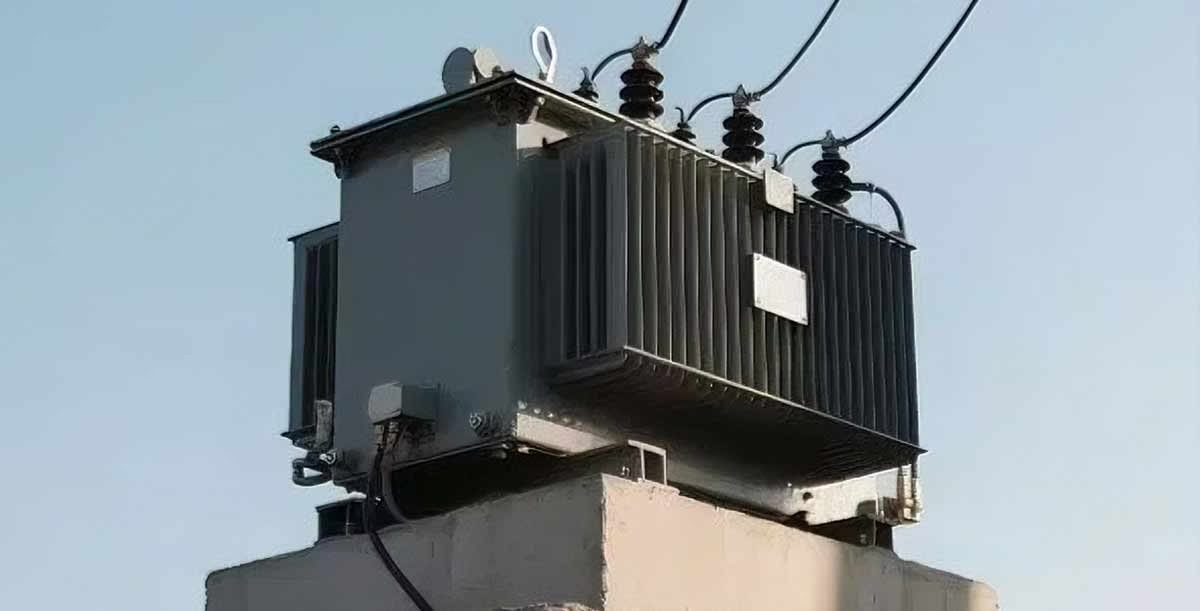
For new techs, I stress that safety symbols aren’t just regulatory boxes—they’re lessons learned from past accidents. Every warning on a schematic exists because someone got hurt or equipment failed. Ignoring them isn’t worth the risk.
I also remind them to check for schematic version updates. Outdated diagrams might not reflect changes to the transformer’s safety systems, which can be deadly. Always confirm you’re using the latest version before starting work.
Safety in transformer work isn’t about luck—it’s about preparation. And the schematic is your most important preparation tool. By taking the time to understand every safety symbol and note, you’re protecting yourself, your colleagues, and the equipment you’re maintaining. That’s not just good technique—it’s professional responsibility.
Bridging Diagram Symbols to Real-World Transformer Parts
Ever compared a transformer diagram to the actual unit and thought, “These don’t look anything alike”? You’re not alone. Diagrams simplify complex systems into symbols, but translating those abstract lines to physical parts is a skill that separates good technicians from great ones. It’s like solving a puzzle where the pieces are metal, wire, and insulators—and the reward is faster, more accurate work.
Matching diagram symbols to real-world components is critical for field technicians. It requires understanding how simplified representations map to physical parts: the core, windings, bushings, cooling systems, and tap changers. Mastering this skill means you can navigate a transformer’s interior (or exterior) with confidence, even if you’ve never worked on that specific model.
Let’s break down how to connect diagram symbols to real transformer parts:
The Core: From Rectangle to Steel Structure
The core is the easiest component to link between diagram and reality—once you know what to look for.
Core Connection Tips:
- Diagram symbol: Simple rectangle or E-I shape (central to the blueprint)
- Real-world appearance: Large, heavy, laminated steel structure (the “backbone” of the transformer)
- How to find it: Look for the central mass inside the transformer casing—often surrounded by windings
Windings: Zigzag Lines to Insulated Coils
Windings are the heart of voltage transformation, but their diagram symbol is far simpler than their real-world form.
Winding Recognition Guide:
- Diagram symbol: Zigzag or curved lines wrapped around the core
- Real-world appearance: Tightly wound coils of insulated wire (usually copper or aluminum)
- Note: Windings are often hidden inside insulation or the transformer tank—you might not see them directly, but you can trace their connections to bushings
Bushings: Circles to Protruding Insulators
Bushings are the transformer’s “interface” with external wiring, and their diagram symbol is nearly identical to their real-world form.
Bushing Spotting Tips:
- Diagram symbol: Circles or ovals (typically on top or sides of the core)
- Real-world appearance: Large, cylindrical insulators (porcelain or composite) protruding from the transformer’s top or sides
- How to confirm: Check for voltage labels—they’ll match the ratings in the diagram’s title block
Cooling Systems: Wavy Lines to Radiators and Fans
Cooling systems prevent overheating, and their diagram symbols hint at their real-world design.
Cooling Component Matching:
- Diagram symbols: Wavy lines (radiator fins), fan icons (forced air), or pump symbols (oil circulation)
- Real-world appearance:
- Radiator fins: Thin metal plates on the transformer’s sides (passive cooling)
- Fans: Small, external fans attached to radiators (active cooling)
- Oil pumps: Large units with hoses (for high-capacity transformers)
Tap Changers: Connection Points to Adjustment Mechanisms
Tap changers are crucial for voltage control, but their diagram symbol can be misleadingly simple.
Tap Changer Identification:
- Diagram symbol: Series of small points branching from the windings
- Real-world appearance: A separate, often cylindrical mechanism on the transformer’s side (may have a handle or control panel for adjustment)
- How to link: Trace the diagram’s connection points from the windings—they’ll lead to the tap changer’s location on the unit
| Component | Diagram Symbol | Real-World Appearance |
|---|---|---|
| Core | Rectangle/E-I shape | Central laminated steel structure |
| Windings | Zigzag lines | Insulated wire coils (often internal) |
| Bushings | Circles/ovals | Protruding cylindrical insulators |
| Cooling System | Wavy lines/fan icons | Radiator fins, external fans, or oil pumps |
| Tap Changer | Series of connection points | External adjustment mechanism (side-mounted) |
My first solo transformer inspection was a humbling experience. I had the diagram, I knew the symbols, but when I opened the access panel, I was staring at a jumble of metal, wire, and insulators that seemed nothing like the neat blueprint. I froze—until I remembered to start with the core.
The diagram showed a large rectangle in the center, so I looked for the biggest, heaviest structure inside the unit. That was the core—laminated steel sheets stacked together. Once I identified that, everything else started to fall into place.
Next, I searched for the windings. The diagram showed zigzag lines around the core, but in reality, they were hidden inside insulation. I couldn’t see them, but I could trace the wires from the bushings (which I recognized from their circular diagram symbol) back to the core area—that’s where the windings were.
Bushings were the easiest match. The circles on the diagram’s top corresponded exactly to the large, porcelain insulators sticking out of the transformer’s top. Each was labeled with a voltage rating, which matched the diagram—this gave me confidence I was on the right track.
The cooling system was a bit trickier. The diagram showed wavy lines on the sides, which I thought would be small fins. But in reality, the radiator fins were much larger and more complex than I imagined—they wrapped around the transformer’s lower half. Some units I’ve worked on since have fans too, which the basic diagram didn’t show, so I’ve learned to expect variations.
The tap changer was the biggest challenge. The diagram showed a series of small points branching from the windings, but I couldn’t find anything like that on the unit. I rechecked the diagram, traced the lines, and realized the points led to the transformer’s side. There, I found a small, cylindrical mechanism with a handle—that was the tap changer. It didn’t look like the diagram’s simple points, but understanding its function (voltage adjustment) helped me make the connection.
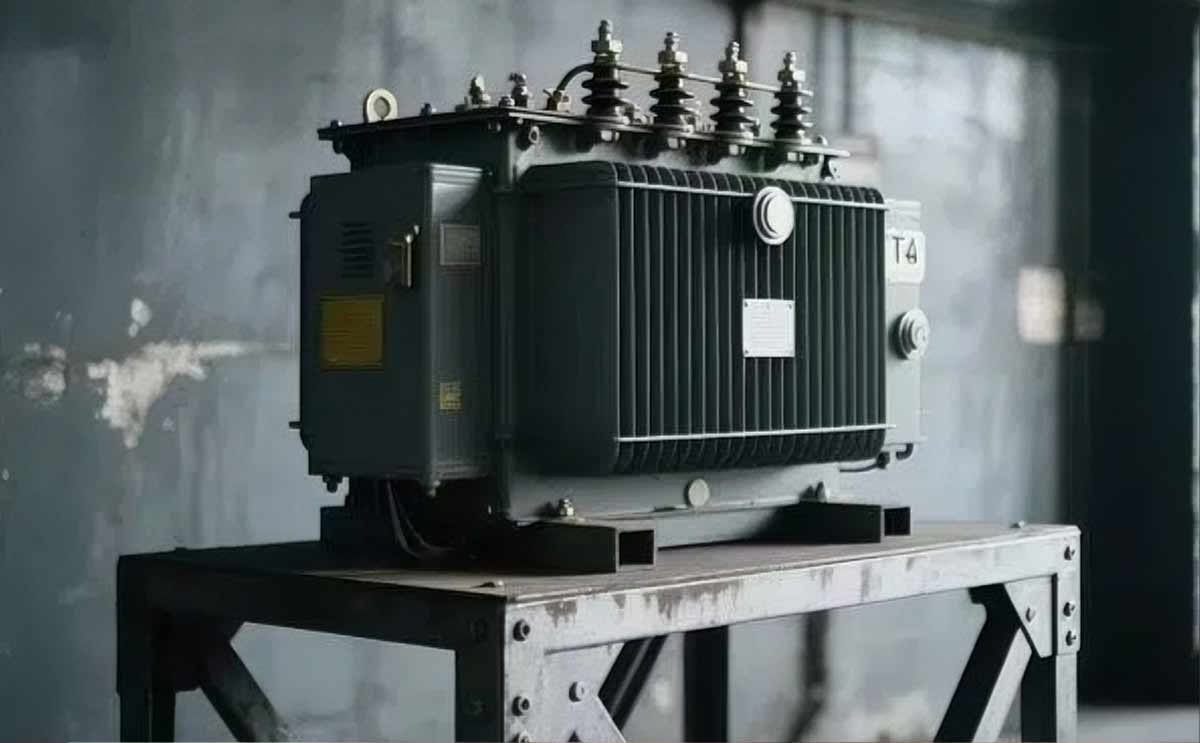
Over time, I developed a strategy: use bushings as reference points. Since they’re visible on both the diagram and the unit, they act as “anchors” to orient other components. I also learned to not rely solely on the diagram’s appearance—focus on function instead. If a symbol represents a voltage-adjusting component, look for the mechanism that does that in the real unit.
For new techs, I always say: don’t get discouraged if the real transformer doesn’t match the diagram perfectly. Diagrams are simplifications—they can’t show every detail. Instead, use the diagram to understand the component’s role, then look for that function in the unit. And take notes! I annotate my diagrams with sketches of how components look in real life—this helps me remember for future jobs.
Matching diagram symbols to real-world parts is a skill that comes with practice. Each transformer you work on teaches you something new, and soon, you’ll be able to look at a diagram and visualize the unit’s interior (or exterior) instantly. This skill isn’t just about identification—it’s about understanding how the transformer works as a system. And that understanding will make you a more efficient, confident technician.
Troubleshooting Pad Mounted Transformers: Using Diagrams to Solve Problems
Staring at a malfunctioning pad mounted transformer, not knowing where to start? You’re not alone. But the solution might be in your hands—the transformer diagram. Too many technicians see diagrams as reference tools, but they’re actually powerful troubleshooting allies. When used correctly, they can cut diagnostic time in half and lead you straight to the root cause.
Transformer diagrams are field technicians’ secret weapon for troubleshooting. They map component relationships, electrical paths, and common fault points, turning guesswork into a systematic process. Whether you’re dealing with voltage fluctuations, tripping relays, or overheating, the diagram guides you to the problem—without wasting time on unnecessary checks.
Let’s explore how to use pad mounted transformer diagrams for effective troubleshooting:
Follow a Systematic Path: Start at the Symptom
Troubleshooting works best when you have a roadmap—and the diagram is that roadmap. Start with the observed problem, then trace backward to potential causes.
Step-by-Step Troubleshooting with Diagrams:
- Identify the symptom (e.g., low output voltage, frequent tripping, overheating)
- Locate the affected component/system on the diagram (e.g., secondary windings, protective relay, cooling system)
- Trace the electrical or mechanical path from the symptom to related components
- Identify test points (voltage, current, resistance) marked on the diagram
- Systematically eliminate potential causes (e.g., if voltage is low, check tap changers first, then windings)
Understand Component Relationships: Predict How Parts Interact
A transformer is a system—problems in one component often affect others. The diagram shows these relationships, so you can predict cascade failures.
Key Relationships to Note:
- How windings connect to bushings (a faulty bushing can cause voltage drops)
- Tap changer’s link to windings (misadjustments lead to voltage issues)
- Cooling system’s role in core/winding temperature (overheating damages insulation)
- Protective relays’ connections to critical components (tripping often points to underlying issues)
Trace Electrical Pathways: Follow the Current Flow
Many transformer problems stem from broken, shorted, or miswired paths. The diagram lets you trace current from input to output, identifying where the flow might be interrupted.
Path Analysis Tips:
- Trace high-voltage paths from bushings to primary windings
- Follow low-voltage paths from secondary windings to output terminals
- Check grounding paths (broken grounds cause shocks or equipment damage)
- Note auxiliary circuits (control or monitoring wiring often causes intermittent issues)
Identify Common Fault Points: Focus Your Inspection
Diagrams highlight areas prone to failure—use this to prioritize your checks.
Common Fault Areas to Look For:
- Insulation breakdown points (between windings or around bushings)
- Mechanical joints (vibration causes loose connections)
- Oil leak locations (around gaskets or cooling systems)
- Cooling system vulnerabilities (clogged fins, failed fans)
Use Measurement Guidance: Know Where to Probe
Diagrams mark exact locations for voltage, current, and resistance measurements—this ensures accurate data and avoids dangerous mistakes.
Measurement Point Tips:
- Voltage test points (labeled on windings or terminals)
- Current measurement spots (often near bushings or connection points)
- Resistance check points (for windings or grounding systems)
- Temperature monitoring areas (critical for cooling system troubleshooting)
| Troubleshooting Step | How to Use the Diagram | Real-World Application |
|---|---|---|
| Start at the Symptom | Locate the affected component/system | If the transformer trips, find the protective relay on the diagram |
| Trace Relationships | Map how components connect | A faulty tap changer might cause low secondary voltage—check its link to windings |
| Follow Electrical Paths | Trace current flow from input to output | Identify open circuits by following broken paths on the diagram |
| Focus on Fault Points | Target high-risk areas | Inspect insulation around windings (a common failure point) |
| Take Measurements | Use diagram-marked test points | Check voltage at labeled terminals to confirm winding issues |
Early in my career, I faced a pad mounted transformer that kept tripping offline intermittently. The symptom was vague—no visible damage, no obvious overheating—and I didn’t know where to start. That’s when I turned to the diagram.
First, I identified the symptom: the protective relay was triggering. I found the relay on the diagram and traced its connections. The diagram showed the relay was linked to the primary windings and bushings—this gave me a starting point.
Next, I followed the electrical path from the relay back to the primary windings. The diagram marked voltage test points along the way, so I took measurements at each spot. One point showed inconsistent voltage, which led me to suspect a loose connection or insulation breakdown.
I then focused on common fault points: the diagram highlighted insulation between the primary windings and bushings as a high-risk area. I inspected that section and found minor insulation damage—enough to cause intermittent arcing, which triggered the relay. Without the diagram, I might have spent hours checking unrelated components.
That experience taught me to use the diagram as an active troubleshooting tool, not just a reference. Now, I start every troubleshooting job by “walking through” the diagram mentally: I visualize the component relationships, trace electrical paths, and note fault points before touching the unit.
Another technique that works: annotate the diagram during troubleshooting. I write down measurements, observations, and theories directly on the blueprint. This creates a visual record of my process, which is helpful if I need to hand the job over to another tech or refer back later.
For new techs, I stress the importance of understanding the diagram’s legend. Misinterpreting a symbol can lead you down the wrong path—for example, confusing a tap changer symbol with a grounding point. Take the time to learn the symbols, and you’ll avoid costly mistakes.
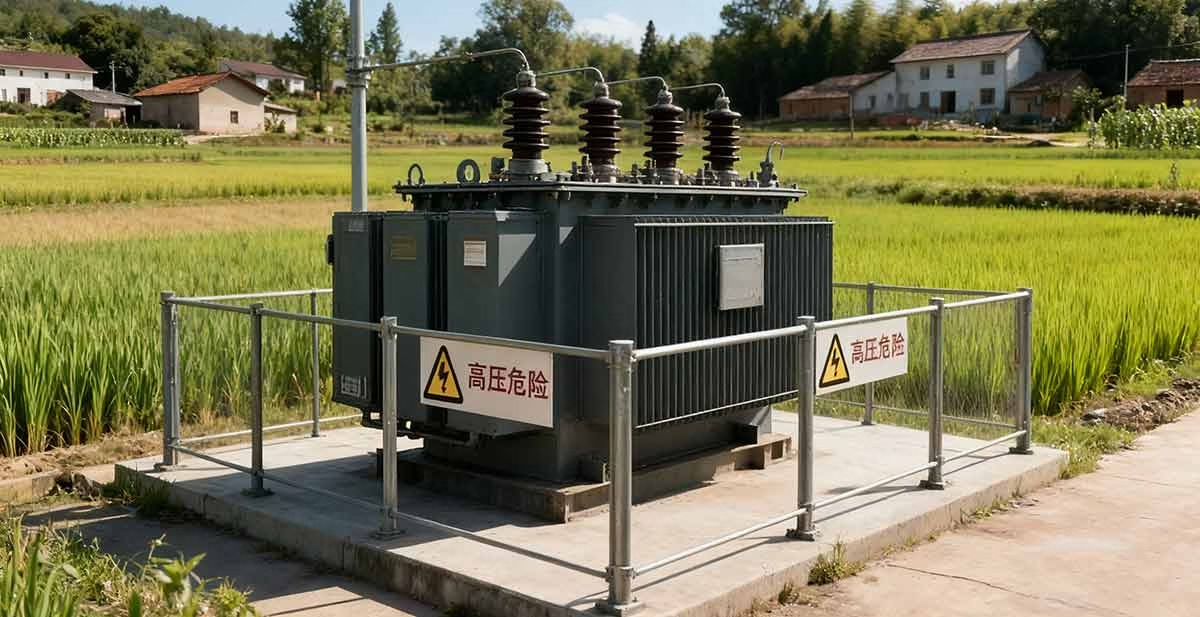
I also recommend comparing the diagram to the actual transformer before starting. Sometimes, modifications aren’t reflected in the blueprint—spotting these discrepancies early prevents confusion. For example, a replaced cooling fan might not be on the diagram, but knowing that helps you rule it out as a cause.
Troubleshooting with a transformer diagram is about working smarter, not harder. It’s about using the blueprint to systemize your process, focus your efforts, and avoid guesswork. The diagram doesn’t just show you what the transformer looks like—it shows you how it works, and how to fix it when it doesn’t.
As you gain experience, you’ll learn to “read between the lines” of the diagram. You’ll recognize patterns—like how a loose connection in one spot affects another—and anticipate issues before they escalate. This skill isn’t just about fixing problems—it’s about becoming a more efficient, confident technician.
Conclusion
Pad mounted transformer diagrams are more than technical drawings—they’re the backbone of safe, efficient field work. From reading blueprints as a beginner to using them for advanced troubleshooting, these diagrams empower technicians to understand, maintain, and repair transformers with precision.
Mastering diagram interpretation means more than recognizing symbols: it’s about bridging abstract lines to real-world components, prioritizing safety through warning labels, and using systematic problem-solving to diagnose issues. Whether you’re a new technician learning the ropes or a veteran refining your skills, the diagram is your constant ally.
At the end of the day, transformers are critical to our power infrastructure—and diagrams are the key to keeping them running reliably. By investing time to master these blueprints, you’re not just improving your technical skills—you’re contributing to the stability and safety of the systems that power homes, businesses, and communities.